As a lead estimator and engineer at ShincoFab, I review dozens of sheet metal RFQs every week. Learning how to write a sheet metal RFQ correctly can save your company thousands of dollars in scrap metal and delays.
A sheet metal RFQ (Request for Quote) is a procurement document that provides manufacturers with the 3D files, 2D drawings, material specs, and tolerances required to price a custom metal part.
The cheapest quote is often a trap. A poorly written RFQ is a common way you fall into it.
In this guide, I will show you how to write a bulletproof sheet metal RFQ based on what actually works on the ShincoFab production line. You will learn which essential files our programmers need, the seven details that help lock in your price, and how to protect your designs. I will also show you how to read the quotes you get back so you can spot the hidden fees that many competitors try to sneak in.
By the end of this post, you will know how to get fast, accurate pricing the first time.
Why a Good RFQ Saves You Time and Money
A sloppy RFQ leaves room for guessing. When suppliers are forced to guess, they generally overcharge you to cover their risk, or they may build the part wrong.
Stop the endless email chains
Last month at ShincoFab, a new client lost four days of production time just because their initial RFQ was missing the material grade. You send an email with a quick drawing. Our quoting team has to reply asking for a missing 3D file. You send it. Then we ask about the material grade. You reply again.
This back-and-forth is a massive waste of time. On average, buyers lose 3 to 5 days in the quoting phase just chasing missing information.
A good RFQ helps stop this cycle. You provide the necessary details upfront. We put it through our costing software and give you a quote. Done.
Get accurate pricing the first time
When you give a supplier precisely what they need, they can give you their best price immediately. If you leave out details, they have to guess. Suppliers hate guessing.
To protect themselves, they will typically do one of two things:
- Pad your quote with extra margin to cover the unknowns.
- Hit you with surprise fees later when they realize you need a special finish or a tight tolerance.
A comprehensive RFQ helps lock in your true cost on day one.
How to Protect Your Idea Before Sending an RFQ
Protecting your intellectual property is critical when outsourcing manufacturing.
Using NDAs (Non-Disclosure Agreements)
Before you send a single file, ask the supplier to sign an NDA. This is a simple legal document. It legally stops them from sharing your design with competitors or building it for someone else. Reputable suppliers will sign this without a second thought. If a factory refuses to sign one, it is usually best to walk away.
Keeping your CAD files safe from theft
According to NIST supply chain risk management guidance, unauthorized supplier outsourcing and IP theft are important supply chain security risks. This happens when a supplier takes your design and quietly sends it to a cheaper, unvetted factory.
To help prevent this, you need to control your files. Avoid sending your native CAD files (like your original SolidWorks files). Instead, send a neutral 3D format like a STEP file. Here is why:
- It shows the precise shape of the part.
- STEP files conceal design history. Design history contains proprietary IP. Native files expose this IP.
- It gives the factory enough info to quote, but not enough to steal your core engineering secrets.
What Drives the Cost of Your Sheet Metal Parts?

If your quotes come back too high, you need to know what to change. You cannot negotiate effectively if you do not know where the money is going. From our perspective managing the machines at ShincoFab, three main things drive your costs.
Material choices and waste
Do not buy expensive metal if you do not need it. For example, using 304 stainless steel can cost 40% to 60% more than standard cold-rolled steel.
If your part sits inside a dry machine, consider using cheaper steel. Also, think about nesting and waste. When we program our Amada laser cutters, if your part has a weird, sprawling shape, it limits how many parts we can fit on a standard 4×8 sheet. You end up paying for that wasted scrap metal.
Manufacturing complexity
Generally, the price goes up every time one of our operators has to move your part to another station. For example, transferring a piece from the laser cutter to the press brake, and then to the welding booth, adds labor time. Every extra bend or welded seam typically adds 5% to 10% to the cost of the part.
Keep your design as simple as possible. Ask yourself:
- Do I really need five bends, or will three work?
- Can I use a standard bend radius so the factory doesn’t have to change the press brake tooling?
- Can I use a fastener instead of a complex weld?
Strict quality and inspection needs
Quality is important, but excessive paperwork costs money. If you ask for third-party inspections, material test reports (MTRs), or formal First Article Inspection (FAI) reports, the supplier will charge you for that engineering labor. Only request these strict reports if your project truly requires them.
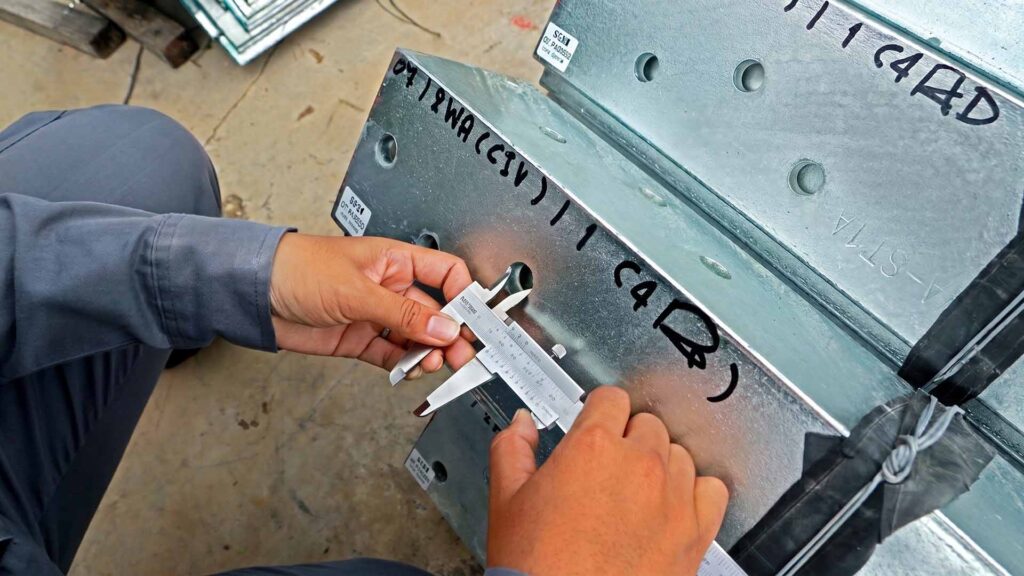
A standard factory inspection is usually sufficient for a basic bracket. This process typically includes manual caliper measurements, go/no-go gauge checks, and visual cosmetic reviews. Avoid requesting expensive CMM (Coordinate Measuring Machine) routing unless your part has complex, high-tolerance geometric features.
What Files Should You Include in a Sheet Metal RFQ?
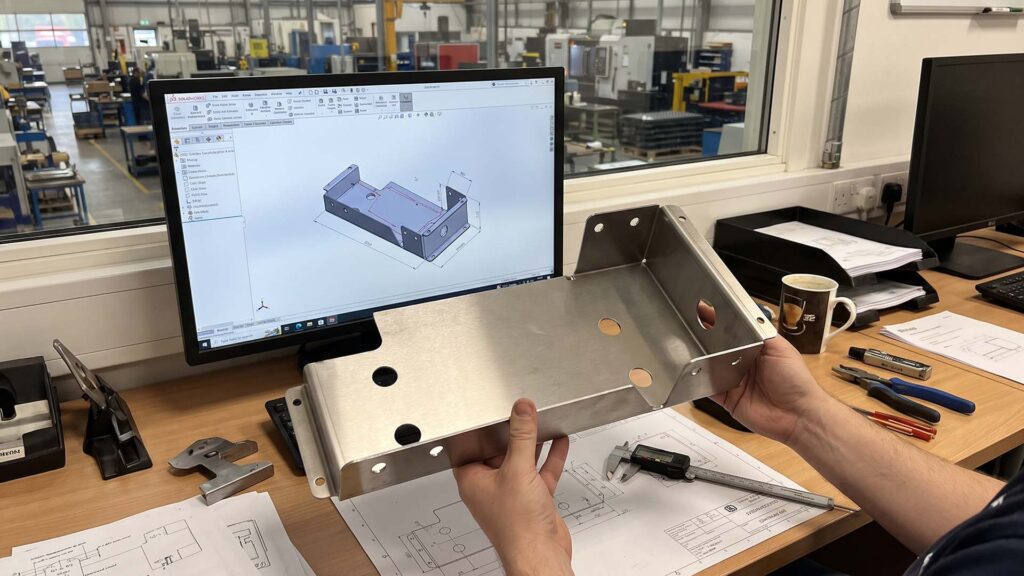
Avoid sending a simple screenshot of your part to ask for a price. At ShincoFab, our quoting engineers need specific files to program our bending and cutting machines.
When submitting files for a sheet metal quote, you must provide the correct formats. It is best practice to include neutral 3D STEP files and 2D PDF drawings, while strictly avoiding native CAD formats and 3D printing STL files. Review the file requirement breakdown below.
| File Type | Should You Send It? | Why / What It Does |
|---|---|---|
| STEP (.stp) | ✅ YES | The universal standard. Tells CNC machines the precise shape while protecting your design history and IP. |
| 2D PDF | ✅ YES | The contract. Shows tolerances, threaded holes, and surface finishes that a 3D model cannot show. |
| Native CAD | ❌ NO | Exposes your proprietary design history and intellectual property to potential theft. |
| STL | ❌ NO | Meant only for 3D printing. Sheet metal software cannot unfold STL files to calculate flat patterns. |
3D CAD Models
It is best practice to send a STEP (.stp) file, based on the globally recognized ISO 10303 product data exchange standard. This is the universal language for sheet metal shops. It tells our CNC machines precisely how to shape the metal. Avoid sending STL files. Those are meant for 3D printing, and we cannot unfold an STL file to calculate the flat pattern for sheet metal. Finally, sending a STEP file preserves the editable 3D model data needed for manufacturing and can help you maintain better control over your design information.
2D PDF Drawings
Your 3D model shows the shape, but your 2D PDF shows the rules. Parts manufactured without a 2D drawing have a 60% higher failure rate.
Why? Because a 3D model cannot tell a machine which holes are threaded. It cannot show tolerances or surface finish notes. The PDF serves as your contract. It tells the factory precisely what an acceptable part looks like.
7 Essential Details to Include in Your RFQ
Do not make the supplier guess. Put these seven details in your email or RFQ form to save time and help lock in your price: Exact Material, Surface Finish, Tolerances, Quantities, Hardware, Context, and Packaging.
1. First, define the Specific Material and Thickness
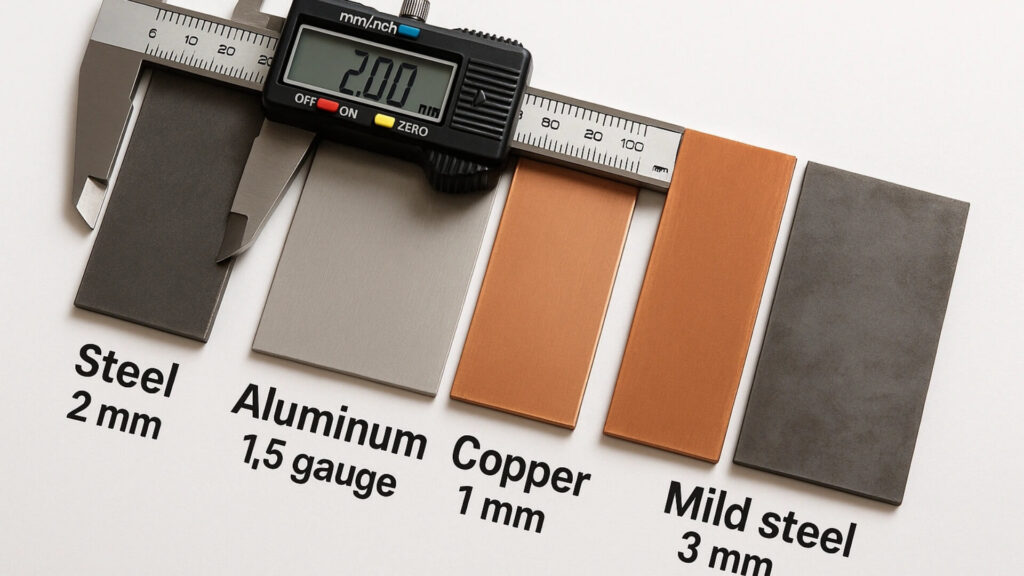
Do not just say “aluminum.” At ShincoFab, if an RFQ just says “aluminum,” we have to stop and ask. Why? Because AL5052 generally offers better formability for press-brake bending, while AL6061—especially in higher-strength tempers such as T6—may crack if the bend radius is too tight. Material selection should account for alloy, temper, thickness, and bend radius, as reflected in The Aluminum Association’s industry standards and technical resources. Say “AL6061, 2.0 mm thick, T6” or “AL5052, 2.0 mm thick, H32.” This ensures your part has the right strength and bends correctly on the factory floor.
2. Next, outline Surface Finish Requirements
Tell the supplier clearly how the part should look. Do you need a black powder coat, clear anodizing, or just a raw finish? A clear finish spec helps prevent parts from rusting or looking inconsistent on your assembly line.
3. Additionally, specify Tolerances and GD&T (Geometric Dimensioning and Tolerancing)
Keep your tolerances realistic. Asking for a tight ±0.05 mm tolerance on a bent sheet metal part can increase manufacturing cost because it may require additional setup, process control, and inspection. Use tight tolerances only on features that truly matter, such as mating holes. Let the remaining dimensions follow ISO 2768-1 general tolerances, such as the m (medium) tolerance class where appropriate.
4. Then, confirm Order Quantities
Volume significantly impacts pricing. Ordering 10 prototypes can cost 3 to 5 times more per piece than ordering 1,000 production units. For example, a recent ShincoFab client saved 45% per unit simply by increasing their initial order from 50 prototype brackets to a 500-unit production run. Tell the supplier your immediate need and your future annual volume. This helps them pick the most cost-effective manufacturing method for you.
5. Furthermore, call out Welding and Hardware Needs
Call out any specific welds, tapped holes, or pressed-in inserts. If you need PEM nuts, tell us the required part number (you can reference the official PennEngineering® catalog for exact specs if unsure). If you leave this out, we may quote a flat piece of metal with empty holes, and you will be stuck figuring out how to assemble it later.
6. Explain the Application Context
Tell the supplier where the part actually goes. Does it sit outside in the rain? Does it slide into another metal bracket? When the factory knows how the part is used, they can often spot design risks before they cut the metal.
7. Finally, provide Packaging and Shipping Rules
Do not assume the factory knows how to pack your parts. Up to 15% of sheet metal parts get scratched or bent in transit due to poor packaging specs.Tell them if you need parts individually wrapped, separated by cardboard, or packed on custom pallets.
Why Is Your Sheet Metal Quote Delayed?
Reviewing thousands of files at ShincoFab has taught us that even experienced engineers can omit crucial information.
Using vague material names
Asking for “steel” is like asking a car dealer for “a car.” The supplier will have to email you back to ask what kind. Do you want cold-rolled steel, galvanized steel, or stainless? Be specific. This lets the factory check their inventory and price your part accurately the first time.
Forgetting to call out cosmetic surfaces
Sheet metal can get scratched during manufacturing because it slides across machine beds and gets clamped by heavy tooling. This is a normal part of the process. However, if one side of your part faces your end-user, you should clearly specify it. When we know the cosmetic side, we apply protective film before laser cutting and handle it with extra care. If you do not call it out, you risk getting tool marks on the front of your product.
Over-tolerancing
Avoid putting tight tolerances on every single hole and edge. It can significantly increase costs. If a bend does not connect to anything, let it be loose. Tighten the rules primarily for the features that matter for assembly.
Your Quick Sheet Metal RFQ Checklist
Before you hit “send” on that email, pause. A quick review now can save you days of headaches later.
To write a comprehensive sheet metal RFQ, you should include a 3D STEP file, a 2D PDF drawing, specific material grades, surface finish requirements, realistic tolerances, order quantities, hardware specifications, and shipping rules. Use the checklist below before sending your quote request.
| RFQ Requirement | What You Need to Provide | Why It Matters for Pricing |
|---|---|---|
| 1. 3D & 2D Files | STEP file + 2D PDF drawing | 3D provides the shape; 2D provides the critical tolerances and threads. |
| 2. Material Specs | Specific grade & thickness (e.g., AL6061, 2.0mm) | Prevents cracking during bending and ensures accurate raw material pricing. |
| 3. Surface Finish | Powder coat, anodized, or raw (specify cosmetic sides) | Prevents rusting and avoids unsightly tool marks on customer-facing sides. |
| 4. Tolerances | ISO 2768-m (or specific GD&T for critical holes) | Over-tolerancing forces manual inspections, doubling or tripling your cost. |
| 5. Quantities | Prototype volume + Annual production volume | Helps the factory select the most cost-effective manufacturing method. |
| 6. Hardware | Specific part numbers (e.g., PEM nuts) | Ensures holes are sized correctly for pressed-in inserts or welding. |
| 7. Packaging | Wrapping rules or pallet requirements | Prevents parts from getting scratched or bent during transit. |
What to Do If You Need to Change Your Design Mid-Quote
Things change fast in engineering. You might send an RFQ and suddenly realize a mounting hole needs to move by 2mm. Do not panic, but aim to be structured about the update.
How to handle drawing revisions
Avoid just sending a quick email saying, “Hey, move that hole.” That is a common way mistakes happen. Instead, update your actual files. Change the revision letter on your drawing from Rev A to Rev B. Then, email the supplier. Tell them clearly to discard the old files and only use the new ones.
Preventing the supplier from building the wrong version
Document control sounds boring, but it saves jobs. Building the wrong revision can cost thousands of dollars in scrap metal, lost time, and missed deadlines. If the factory uses your old file, you may still be held responsible for the bad parts.
To help prevent this, make it a habit to put the revision number directly in your file name. Name your file Bracket_RevB.step instead of just Bracket.step. This simple practice helps the factory identify the correct version each time they open the file.
How to Read, Compare, and Evaluate Your Quotes
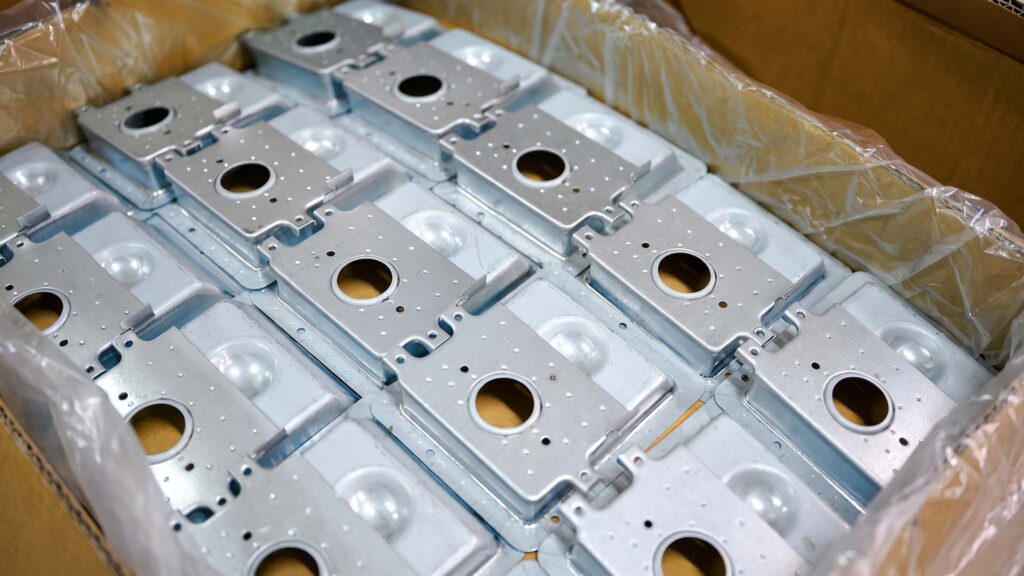
The quotes are finally in your inbox. It is tempting to just look at the bottom line and pick the cheapest one. However, you need to evaluate these quotes carefully.
Spotting red flags and hidden fees
Read the fine print. Make sure you are comparing apples to apples. Look closely at the breakdown of each quote:
- Did one supplier include shipping costs while another left them out?
- Are there hidden setup fees or NRE charges buried at the bottom?
- Did they quote the exact material you asked for, or did they swap it for a cheaper substitute?
If a quote is missing details, push back and ask for a revised version.
Looking past the lowest price
A cheap quote looks great on paper. But it can be a trap if the quality is poor. A 15% defect rate from a cheaper supplier can quickly wipe out a 20% price cut. When you factor in the time spent arguing, shipping bad parts back, and delaying your own product launch, that seemingly cheap quote often becomes the most expensive option. Look for total value, not just the lowest unit price.
Checking lead times and communication speed
Pay close attention to how the supplier treated you during the quoting phase. Did they reply to your RFQ in 24 hours, or did it take a week? Did they ask smart questions about your design?
If a factory is slow to communicate when they are trying to win your business, they will likely be even slower when something goes wrong on the production line. Pick a supplier who communicates clearly, prices fairly, and respects your specs.
Conclusion
Sending a sheet metal RFQ does not have to be a stressful guessing game.
When you take the time to build a comprehensive RFQ, you take control of the procurement process. You reduce endless email chains. You better protect your budget from hidden fees. Most importantly, you significantly increase the chances that the parts arriving at your dock will fit your product perfectly.
Remember, the goal is rarely just to find the cheapest factory in the world. The goal is to find a reliable partner who builds your parts right the first time. Save the checklist from this guide and use it before you send your next email to a supplier. You will likely get faster quotes, better pricing, and far fewer headaches.